Updated July 2026
Motorized Blinds & Smart Homes: Alexa and Google Home, Explained
Which motors and hubs actually work with Alexa and Google Home, when voice control beats a schedule, and whether to go battery or hardwired — from real installs across the GTA.
By Hayati, owner-operator · Published
Get a Free Quote on WhatsApp
Send a photo of your window and get an estimate within 1 hour.
Almost every motorized quote we write now starts with the same question: will it work with Alexa, or with Google Home? The honest answer is that most motors can, but not all of them do it the same way, and the difference matters more after installation than it does in the showroom brochure.
This guide explains the parts in plain language — the motor, the hub, the app, and the voice assistant — so you know what you are buying before it is on the wall. It is written from installs across the Greater Toronto Area, and the same setup applies whether the home is a Richmond Hill new build, a Vaughan two-storey, or a Pickering bungalow.
The four parts of a smart blind, and what each one does
A motorized blind is not one smart device. It is a motor in the tube, a remote or wall switch, a bridge or hub that puts the motor on your Wi-Fi, and finally the assistant — Alexa or Google Home — that sits on top of all of it. You can stop at any layer. Plenty of our customers stop at the remote and never regret it.
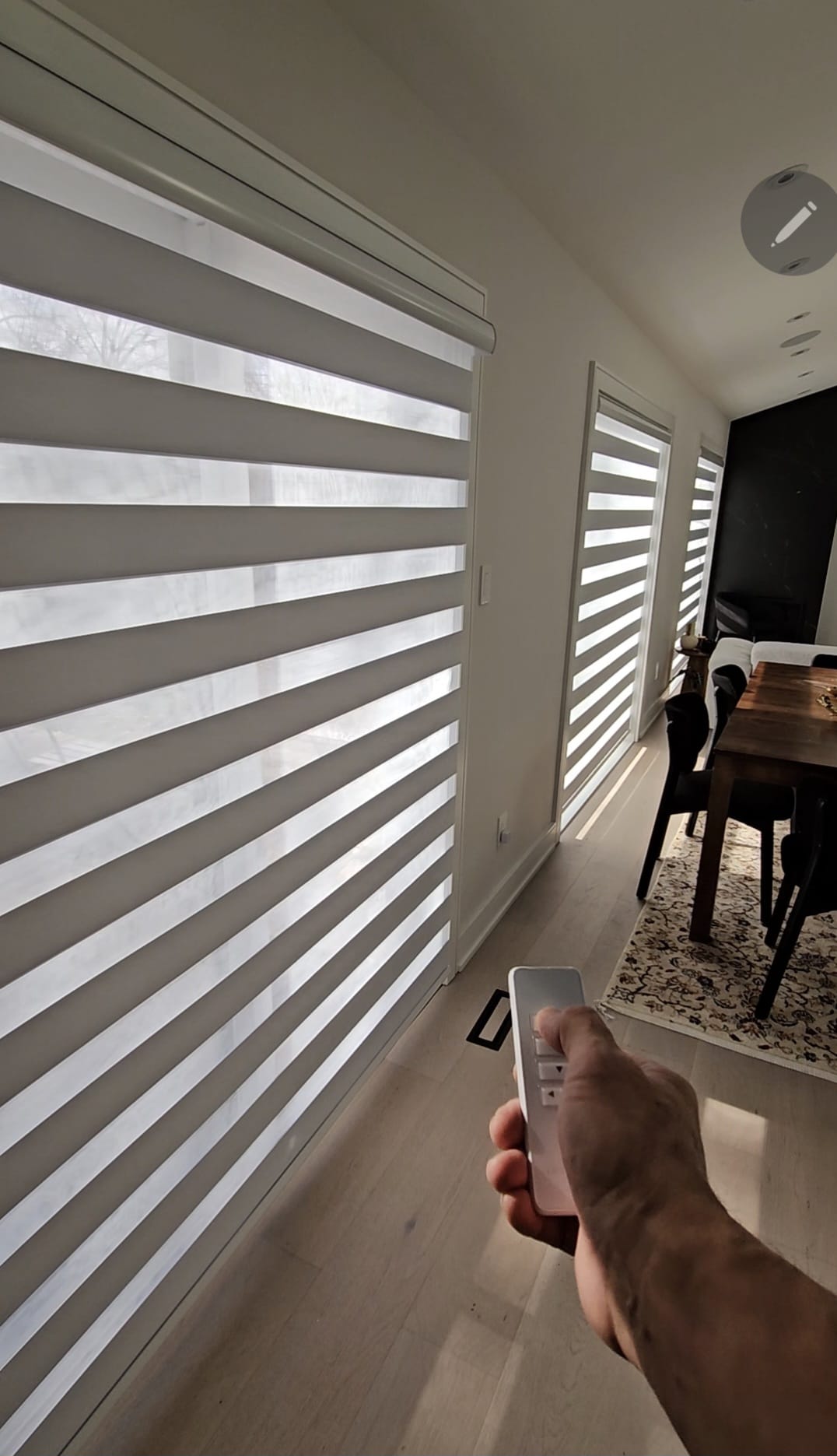
The motor moves the shade and stores the open and closed limits. The remote talks to the motor directly over radio, which is why it keeps working when the internet is down. The hub is the only part that needs your Wi-Fi; it translates the radio signal into something a phone app can send from anywhere. The assistant is a voice layer on top of the app account — it does not talk to the motor itself.
That layering is why the useful question is not "is this blind Alexa compatible?" but "does this motor's hub have an Alexa and Google Home integration, and is it included?" On the systems we fit, the answer is yes for both, and the hub is a one-time cost per home rather than per window. Full pricing sits on our motorized blinds page.
Motor and hub types that pair with Alexa and Google Home
Radio-frequency motors with a Wi-Fi bridge are what we install in most homes. The motors talk to a small plug-in bridge, the bridge joins your network, and the manufacturer's app then links to Alexa and Google Home the same way a smart bulb does. One bridge typically covers a whole house; larger homes with thick walls or a finished basement sometimes need a second.
Zigbee and Z-Wave motors exist and are excellent if you already run a Hubitat, SmartThings or Home Assistant setup. They skip the manufacturer cloud, which some people prefer. They are worth asking about only if you already own that ecosystem — otherwise they add complexity for no gain.
Bluetooth-only motors are the ones to be careful with. They pair to a phone in the room and are cheap, but there is no schedule, no remote access, and no voice control without adding a bridge later, which often costs more than choosing the right motor at the start. If a quote elsewhere looks unusually low for a motorized window, this is usually why.
Once linked, both assistants handle blinds natively: "Alexa, close the living room shades" or "Hey Google, set the bedroom shade to 50 percent." Percentage control depends on the motor supporting positioning, which the ones we fit do.
| Motor type | Voice control | Best for |
|---|---|---|
| RF motor + Wi-Fi bridge | Alexa and Google Home via app account | Most homes — one bridge covers the house |
| Zigbee / Z-Wave | Yes, through your existing hub | Homes already running SmartThings or Home Assistant |
| Bluetooth only | No, unless a bridge is added later | A single window with no smart-home plans |
| Wired low-voltage with dry-contact | Through a smart relay or panel | New builds wired before drywall |
App, voice, or schedule: which control you will actually use
After the novelty passes, most households settle on schedules. Shades that open at sunrise in the kitchen and close at dusk in the front rooms handle themselves, and nobody has to remember anything. Both apps support sunrise and sunset triggers tied to your address, which beats a fixed clock time through a GTA winter.
Voice earns its place in rooms where your hands are busy or the window is out of reach — a great-room bank of shades, a stairwell, a kitchen. It is the least reliable layer, because it depends on your internet and the assistant's cloud, which is exactly why we still leave a physical remote in every home we motorize.
The app is what you use twice a year: to change a schedule, to add a room, or to close everything from the airport. It is also how you group shades so a single command moves five windows together, which is the single feature most people underuse.
Our advice is unglamorous. Set the schedules on install day, keep the remote in the drawer of the room it serves, and treat voice as a bonus rather than the reason you are buying.
Battery or hardwired
Rechargeable lithium motors are what we fit in the large majority of retrofits. The battery tube sits inside the shade, charges from a USB cable a couple of times a year depending on how often the shade moves, and needs no electrician. On a finished home with drywall already up, this is almost always the right answer.
Hardwired low-voltage motors run off a transformer and never need charging. They make sense in three cases: new construction or a renovation where the wall is open, a bank of very large or heavy shades that would drain a battery quickly, and any window genuinely difficult to reach for recharging — a two-storey great room or a stairwell.
Solar trickle chargers are a middle option on sun-facing windows and work well on south and west exposures. They are not a substitute for a hardwired run on a north-facing window in February, and we will say so rather than sell you one.
One practical point for Richmond Hill, Vaughan and Markham new builds: if you are still at the pre-drywall stage, a low-voltage run to each motorized window costs very little then and nothing afterwards is as tidy. Book the consultation before the drywall goes in and we will mark the locations with your builder's electrician.
What to ask before you buy
01 — Which motor and hub. Ask for the motor brand and whether the hub is included in the installed price or billed separately.
02 — Alexa and Google Home both. Confirm both integrations exist today, not "coming soon" in a firmware update.
03 — Positioning support. Ask whether you can set a shade to a percentage, or only fully open and closed.
04 — Power plan. Ask battery life in cycles, how recharging works, and whether the window is reachable.
05 — Who programs it. Ask whether limits, groups and schedules are set up on install day or left to you.
06 — Warranty on the motor. Ask for the motor warranty separately from the fabric warranty, and who services it.
How we set it up on install day
We measure at the free in-home consultation, confirm the exposure and reach of each window, and write one installed price per window that includes the motor, the hub and the programming. There is no separate configuration fee and no charge for the visit.
On install day the shades go up, limits are set at each window, rooms are grouped, and the hub is joined to your Wi-Fi. We then link Alexa or Google Home on your own account with you in the room, run the voice commands together, and set the first schedules before we leave. The remotes are labelled by room.
Motorized windows across the GTA typically run $450–$900 installed depending on width and power type, with the hub as a single additional item per home. Product detail and per-window ranges are on the motorized blinds page, and you can message a photo of the window on WhatsApp for a ballpark before booking anything.
Get my price range
Three fields, instant installed price range from our published pricing — then send it straight to Hayati on WhatsApp. Typical reply time: under 1 hour.
Keep reading
Frequently asked questions
- Do motorized blinds work with both Alexa and Google Home?
- Yes, on the systems we install. The motors talk to a Wi-Fi bridge, and that bridge links to either assistant through the manufacturer's app. Bluetooth-only motors sold elsewhere do not, which is worth checking on any quote.
- Do I need Wi-Fi for motorized blinds?
- Only for app and voice control. The remote works over radio directly to the motor, so your shades still open and close normally if the internet is down.
- How long does the battery last?
- Typically 6–12 months per charge on a normal shade cycled once or twice a day. Larger or heavier shades drain faster, which is when we recommend hardwiring or a solar charger.
- Can I motorize blinds I already have?
- Sometimes, on standard roller tubes, but it is often close in price to a new motorized shade and the fabric warranty does not carry over. We will tell you honestly at the consultation which way makes sense.
- Is there an extra charge to set up Alexa or Google Home?
- No. Programming limits, grouping rooms, linking the assistant and setting the first schedules are all part of the installed price.
- Which areas do you install motorized blinds in?
- All of the Greater Toronto Area from our Ajax base, including Richmond Hill, Vaughan, Markham, Durham Region and East Toronto. The in-home consultation is free with no travel charge.
Get a Free Quote on WhatsApp
Send a photo of your window and get an estimate within 1 hour.